How I made the custom page with Callback
First, we need to create a ControllerPublic to query the database, and pull back the information we want to use in the page.
I've stuck this in my existing Garage add-on for the Garage pages
library/Garage/ControllerPublic
File is called Fuelly.php
[PHP]<?php
class Garage_ControllerPublic_Fuelly
{
public static function getFuelly(XenForo_ControllerPublic_Abstract $controller, XenForo_ControllerResponse_Abstract &$response)
{
$db = XenForo_Application::getDb();
$fuelly = $db->fetchAll("
SELECT
xf_user_field_value.user_id, xf_user_field_value.field_id, xf_user_field_value.field_value, xf_user.*
FROM xf_user_field_value
LEFT JOIN xf_user ON
(xf_user_field_value.user_id = xf_user.user_id)
WHERE xf_user_field_value.field_id = 'fuelly'
AND xf_user_field_value.field_value != ''
ORDER BY xf_user.username ASC
");
$response->params['fuelly'] = $fuelly;
}
}[/PHP]
So, the variable that is going to be passed into the page is $fuelly
Create a new page node
Basic Information
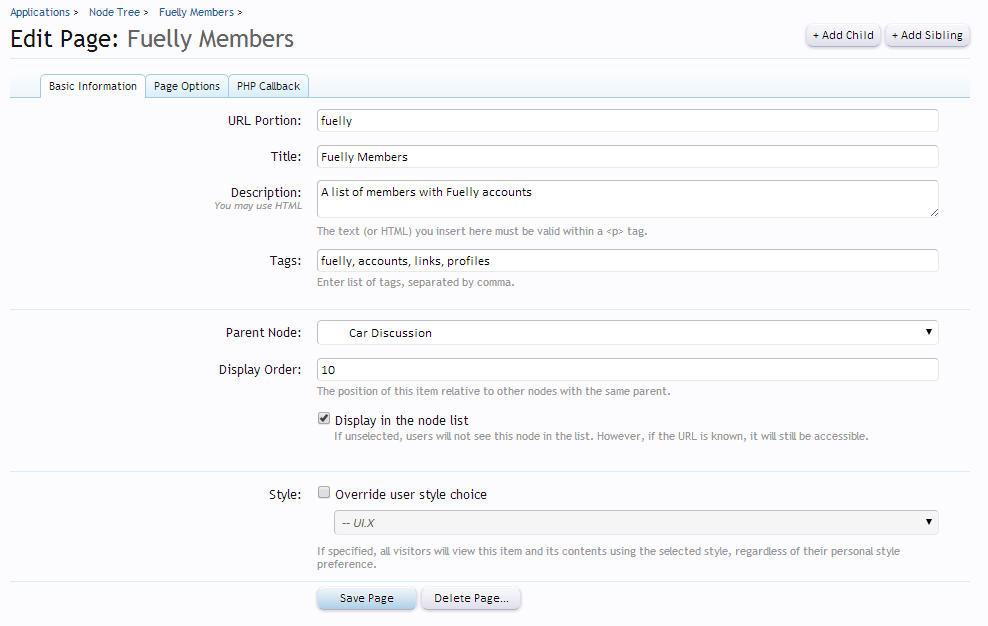
Page Options
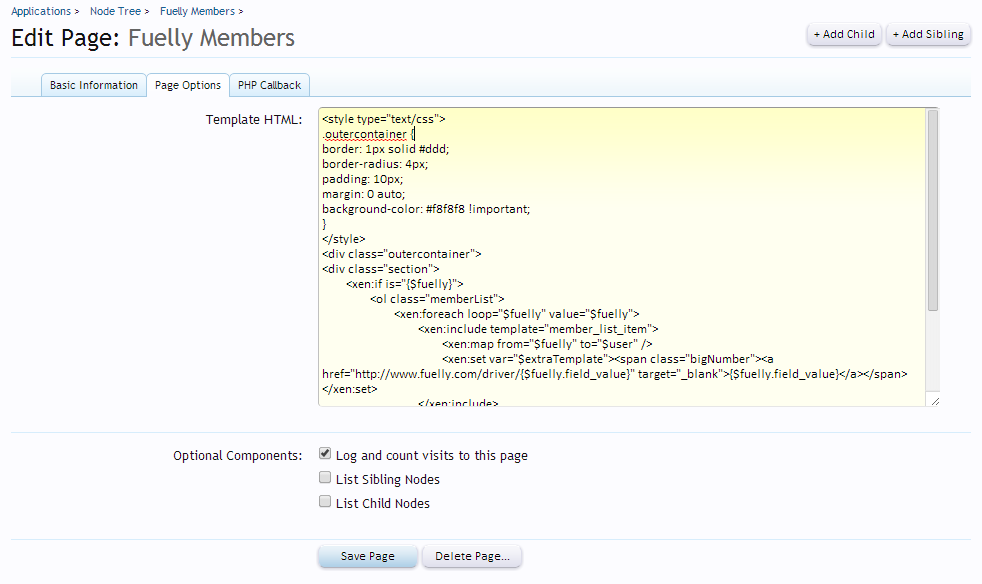
Template HTML
[HTML]<style type="text/css">
.outercontainer {
border: 1px solid #ddd;
border-radius: 4px;
padding: 10px;
margin: 0 auto;
background-color: #f8f8f8 !important;
}
</style>
<div class="outercontainer">
<div class="section">
<xen:if is="{$fuelly}">
<ol class="memberList">
<xen:foreach loop="$fuelly" value="$fuelly">
<xen:include template="member_list_item">
<xen:map from="$fuelly" to="$user" />
<xen:set var="$extraTemplate"><span class="bigNumber"><a href="http://www.fuelly.com/driver/{$fuelly.field_value}" target="_blank">{$fuelly.field_value}</a></span></xen:set>
</xen:include>
</xen:foreach>
</ol>
<xen:else />
<h2>No members currently using Fuelly<h2>
</xen:if>
</div>
</div>[/HTML]
PHP Callback
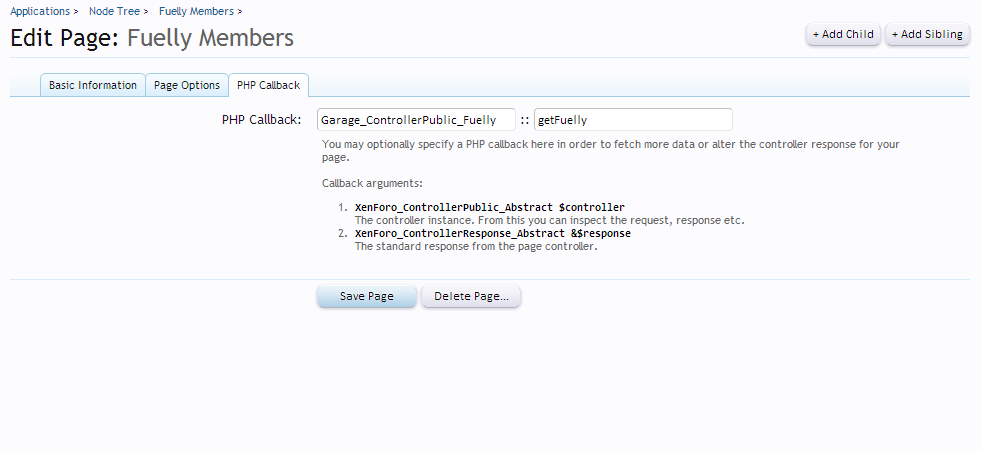
So, the important part of the code is this:
[HTML]<xen:if is="{$fuelly}">
<ol class="memberList">
<xen:foreach loop="$fuelly" value="$fuelly">
<xen:include template="member_list_item">
<xen:map from="$fuelly" to="$user" />
<xen:set var="$extraTemplate"><span class="bigNumber"><a href="http://www.fuelly.com/driver/{$fuelly.field_value}" target="_blank">{$fuelly.field_value}</a></span></xen:set>
</xen:include>
</xen:foreach>
</ol>
<xen:else />
<h2>No members currently using Fuelly<h2>
</xen:if>[/HTML]
This first does a check if there is any data in the $fuelly variable, and if there is, does the formatting etc, and if not, displays a message saying so.
If there is data in $fuelly, we loop through it, and assign the $fuelly to the value. We then use the <xen:map> feature to map the data in the array into a new variable, which can then be used in the template. So we map $fuelly to $user for use in the member_list_item template.
[HTML]<xen:require css="xenforo_member_list_item.css" />
<li class="primaryContent memberListItem{xen:if $extended, ' extended'}"{xen:if $id, ' id="{$id}"'}>
<xen:avatar user="$user" size="s" class="{xen:if $noOverlay, 'NoOverlay'}" />
<xen:if is="{$extraTemplate}"><div class="extra">{xen:raw $extraTemplate}</div></xen:if>
<div class="member">
<xen:if is="{$user.user_id}">
<h3 class="username"><xen:username user="$user" rich="true" class="StatusTooltip{xen:if $noOverlay, ' NoOverlay'}" title="{xen:string censor, $user.status}" /></h3>
<div class="userInfo">
<div class="userBlurb dimmed">{xen:helper userBlurb, $user}</div>
<dl class="userStats pairsInline">
<dt title="{xen:phrase total_messages_posted_by_x, 'name={$user.username}'}">{xen:phrase messages}:</dt> <dd>{xen:number $user.message_count}</dd>
<dt title="{xen:phrase number_of_times_something_posted_by_x_has_been_liked, 'name={$user.username}'}">{xen:phrase likes_received}:</dt> <dd>{xen:number $user.like_count}</dd>
<dt>{xen:phrase trophy_points}:</dt> <dd title="{xen:phrase trophy_points}">{xen:number $user.trophy_points}</dd>
</dl>
</div>
<xen:elseif is="{$guestHtml}" />
<h3 class="username guest dimmed">{xen:raw $guestHtml}</h3>
<xen:else />
<h3 class="username guest dimmed">{xen:phrase guest}</h3>
</xen:if>
<xen:if hascontent="true">
<div class="contentInfo"><xen:contentcheck>{xen:raw $contentTemplate}</xen:contentcheck></div>
</xen:if>
</div>
</li>[/HTML]