I've got one, ive had if for a couple of weeks now. You use your Android as a remote. I believe the iphone works with it also. As yet its not a android dongle like others out there, so for instance the android dongles just act like you've connected your phone to the TV and it mirrors your phone screen and sounds. Unless you've rooted your phone you cant mirror cast your device yet, however with google being open to any developer then time will tell.
I dont have a netflix account so cant comment on that but Ive watched Youtube via the PS3 app and its better quality via the Chromecast.
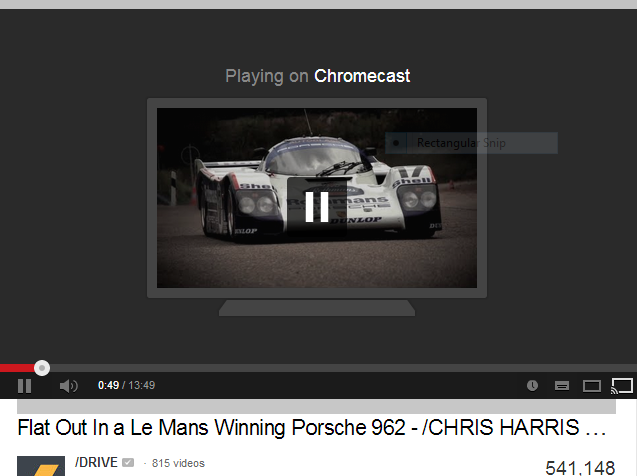
If you use google chrome on you PC/Laptop then you can mirror your browser,or if your watching supported apps like BBC iplayer, youtube and Netflix again you can either mirror your screen or us the in app Cast button. Sorry im trying to do a screen grab then open it in MS paint and attach it to this thread but I'm stumped, its windows 8 and the simple things on Vista no longer work 🙁
Anyhow, for £30 you cant go wrong really, more and more apps should turn up in the store, and as ever most things on google are free. For now the main ones are Iplayer, Youtube, Netflix, google play movies and google play music. If you dont use any of these then dont buy it as there's nothing for you yet.
Just to add, the HDMI doesnt power the dongle, you plug the dongle into the HDMI, then another provided power wire plugs into the mains, or if you have a spare USB on your tellly you can plug it into that again with the provided USB wire. I have mine powered by the USB, the bonus is the dongle powers down when you turn off your telly.
Re watching live TV via the Chromecast you would have to do it via google chrome on your pc then mirror your screen while watching Sky Go or Catch up TV, im sure Virgin had its own PC app. I'm sure the official apps should update soon enough so you can do it direct from your phone.
Thanks to Sjdickso I can throw in these screen grabs. The first image shows the beam button in Chrome, so you can Mirror your Browser to the tv, the second image shows you the in app beam button Bottom right of the yourtube page, this is the best way to do it as you only get the pure vid/image on your tv screen.